Build familiarity with Thai consonants, vowels, numbers, marks and symbols—one focused practice session at a time.
Study characters carefully, hear their names, compare similar shapes, and practice recognizing them in different Thai fonts. The app is a companion for learning the writing system, rather than a complete Thai language course.
Choose the pronunciation guide that works best for you. Switch between four systems: TLTA (a custom, American English-friendly guide designed for this app), RTGS, IPA, and Paiboon.
ก ข ค · · ๑ ๒ ๓
Platform
The Mac application targets Apple Silicon Macs running macOS 15 Sequoia or later.
Focus on one content type, or choose All Content Types in Study Cards, Whack-a-Mole, or Quiz to combine consonants, vowels, numbers, and Marks & Symbols.
A custom Thai handwriting font is included in the app. Use it alongside compatible installed Thai fonts to become familiar with handwritten as well as printed letterforms. It is available across study, games, quizzes, and charts, with no separate font installation.
New to the writing system? Start with Reference Charts for the big picture, then try Study Cards, Whack-a-Mole, and Quiz. This is a suggested path; you can start anywhere and return to any activity.
Several ways to learn
Screenshots show the Mac version. Select a screenshot to enlarge it.
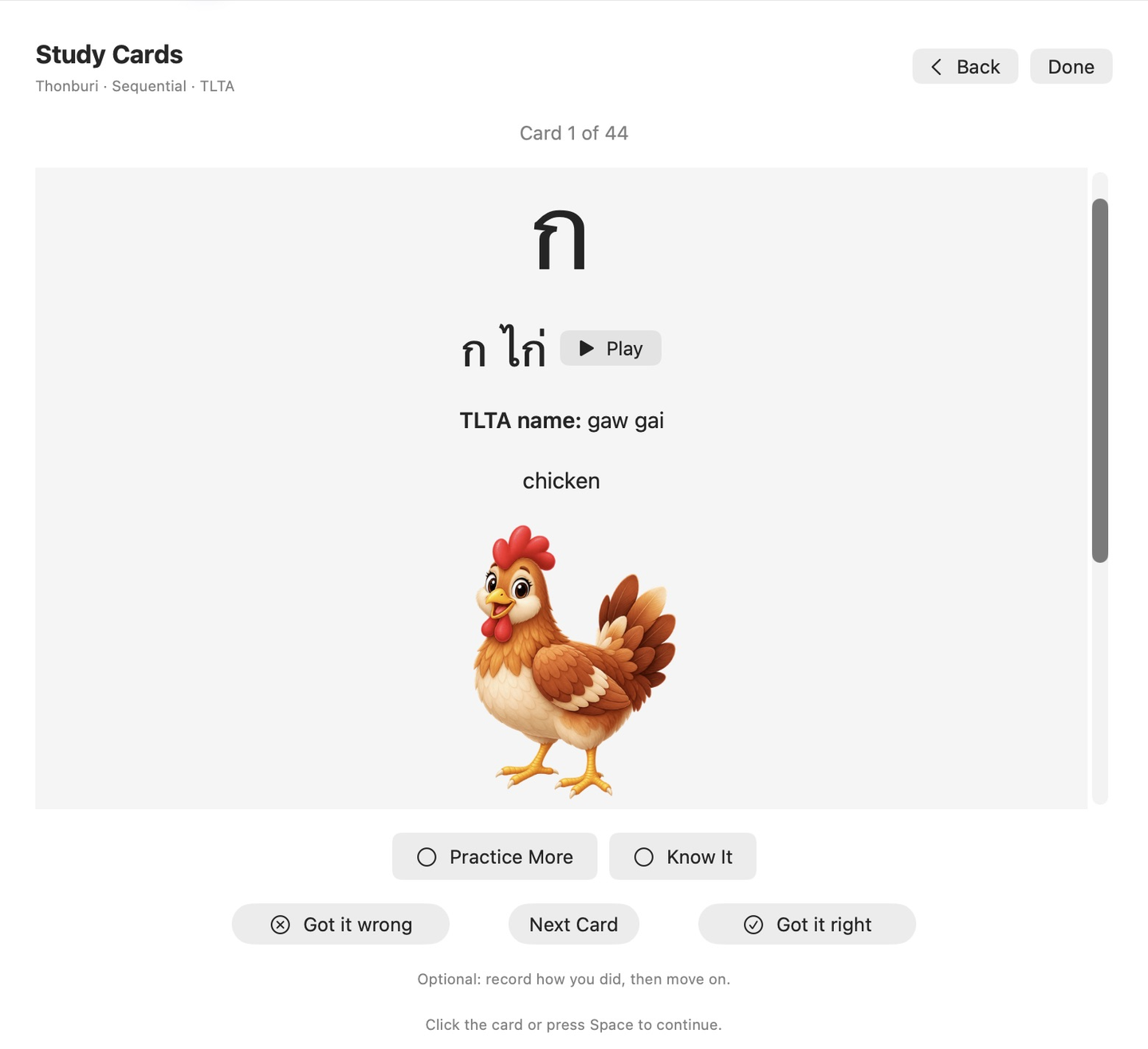
Study Cards
Learn Thai characters at your own pace.
Explore all 44 Thai consonants, 32 traditional vowel forms, 290 Thai numbers, and 15 Marks & Symbols. Reveal each card for pronunciation recordings and useful details. Choose 10, 20, 30, 50, or all available cards per session. Optional hints help with unfamiliar items, while Practice More and Know It let you guide your review. Finish with a session summary, study again, or revisit cards you reported missing.
Study Cards · Select to enlarge
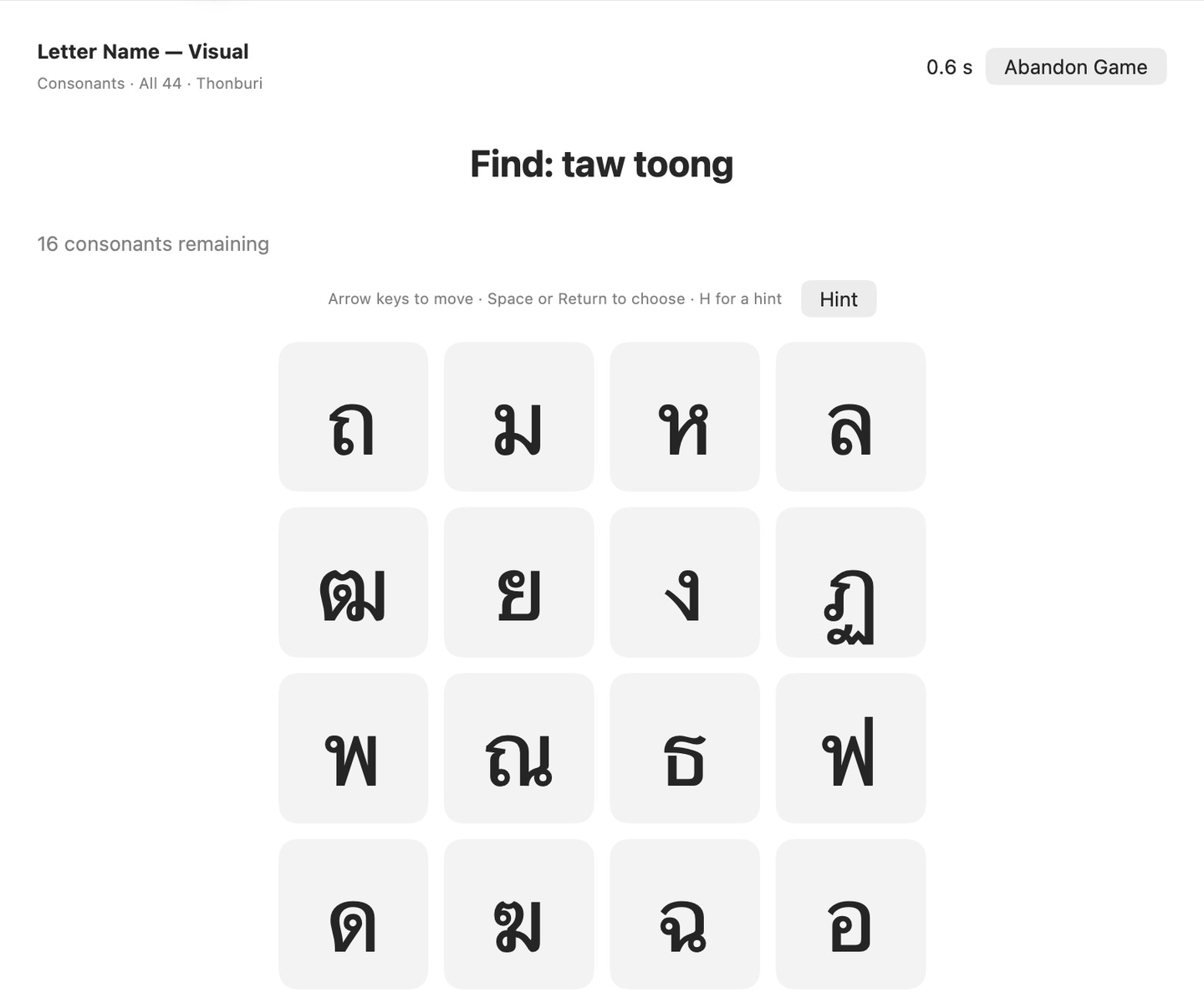
Whack-a-Mole
Make learning the Thai alphabet into a game.
Practice recognizing Thai consonants, vowels, numbers, and Marks & Symbols with written-name or listening exercises. Grids range from 2×2 to 6×6 where supported; Marks & Symbols on its own uses 2×2 or 3×3 boards. Other exercises compare similar-looking forms and practice consonant classes and vowel lengths. Try different Thai fonts, track your accuracy, and compare personal-best times for matching game setups.
Whack-a-Mole · Select to enlarge
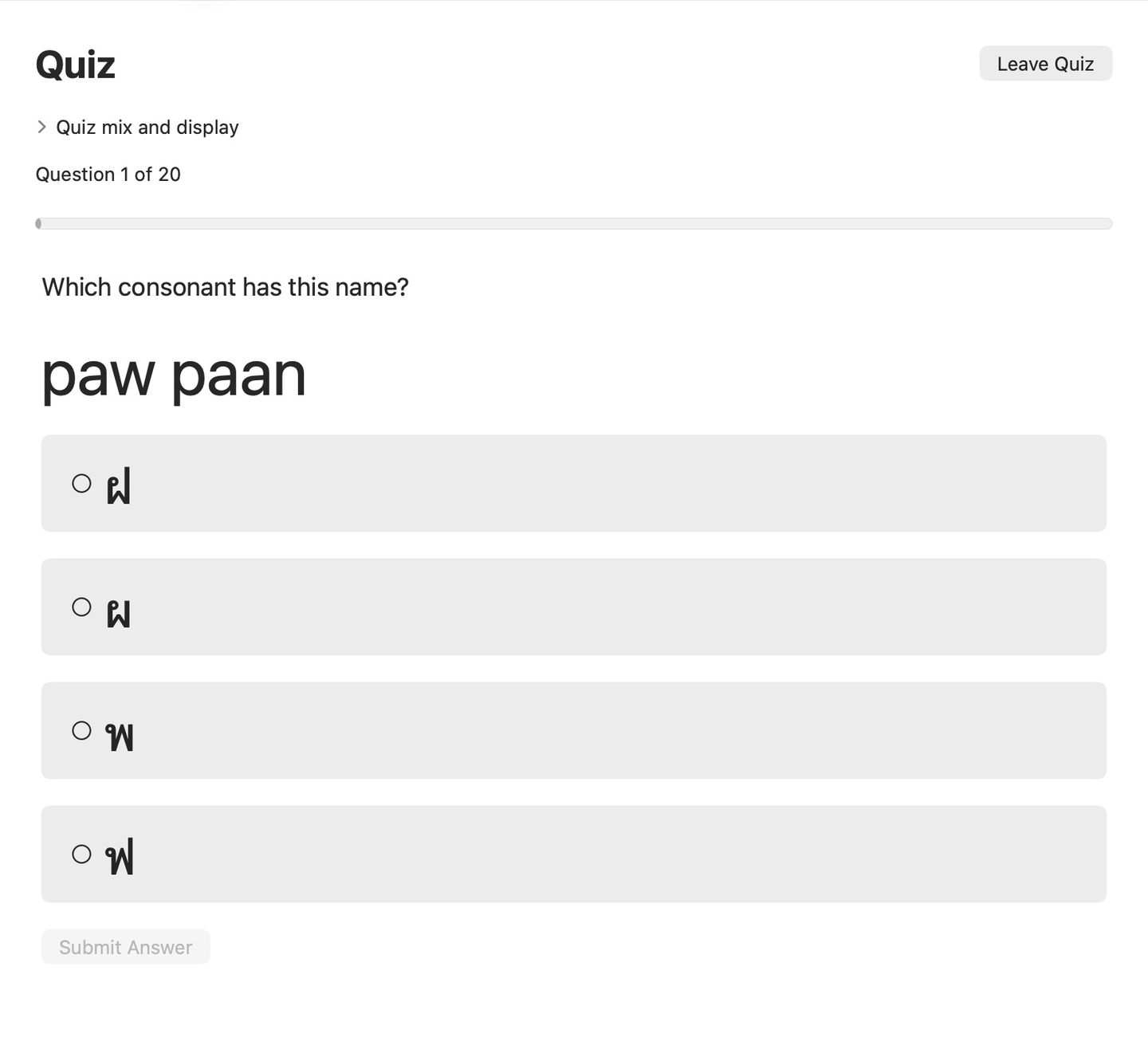
Quizzes
Find out how much you remember.
Choose multiple-choice questions about consonants, vowels, numbers, Marks & Symbols, and recorded names. Answer without speed pressure and review mistakes afterward. When enough practice history is available, Focus on trouble spots gives areas of difficulty more attention.
Quizzes · Select to enlarge
Reference Charts
Keep useful Thai language references close at hand.
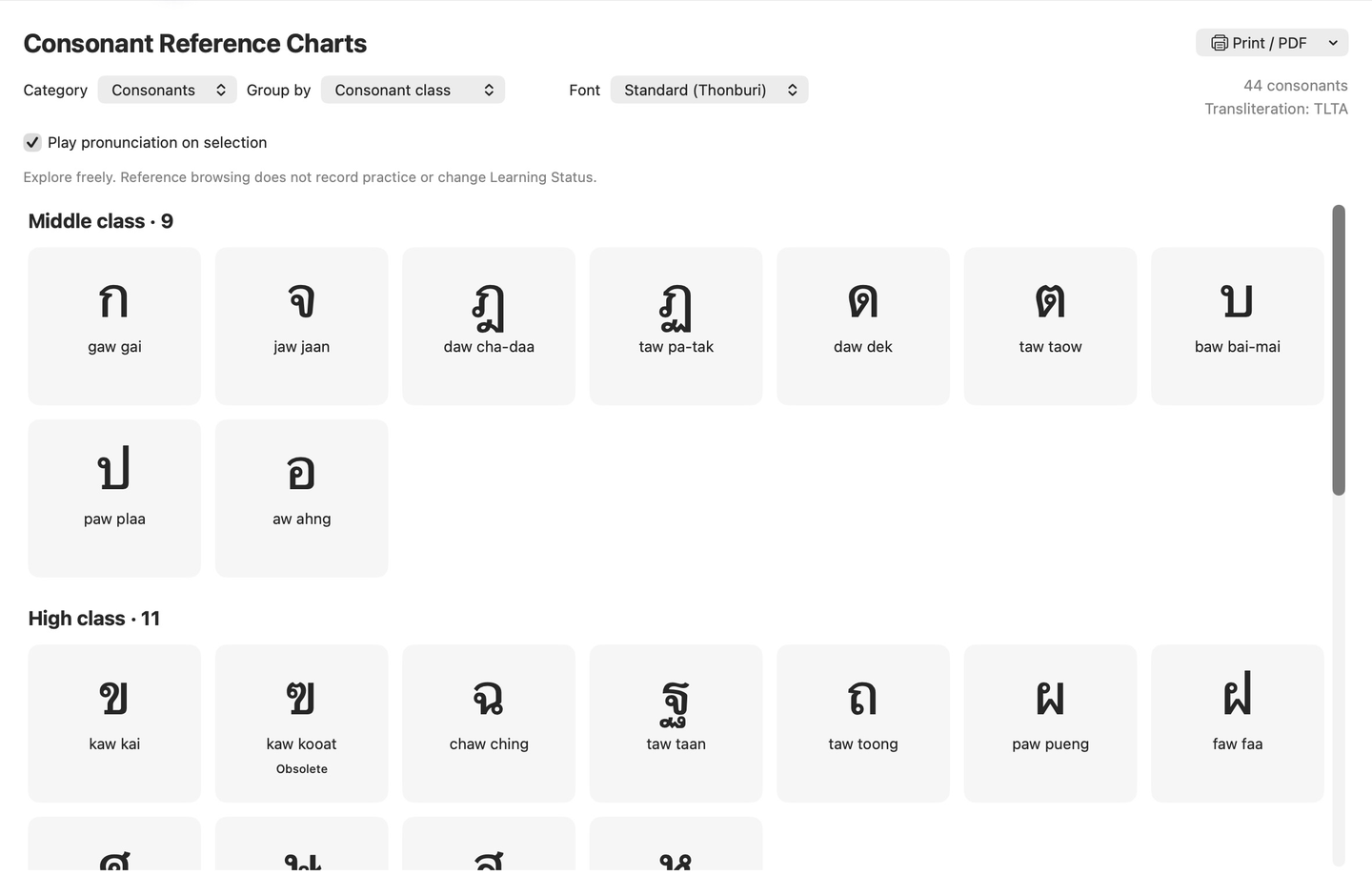
Browse charts of Thai consonants, the 32 traditional vowel forms, selected number sets, and all 15 Marks & Symbols. Learn the signs’ names, purposes, placement, and usage examples. Explore consonant classes, sound relationships, and visually similar forms. Select items for further details and available pronunciation recordings. On Mac, print charts or save them as PDF files.
Reference Charts · Select to enlarge
See how you’re progressing
Track completed games, Quiz results, Study Card activity, and Learning Status in your personal Dashboard. Review accuracy, find items that need more attention, and set optional daily or weekly study goals. Build a study streak and earn badges for regular practice. Learning information is stored on your device.
Free to use
No account, advertising, subscriptions, or in-app purchases. Study activities, pronunciation recordings, reference charts, and built-in Help work offline.